

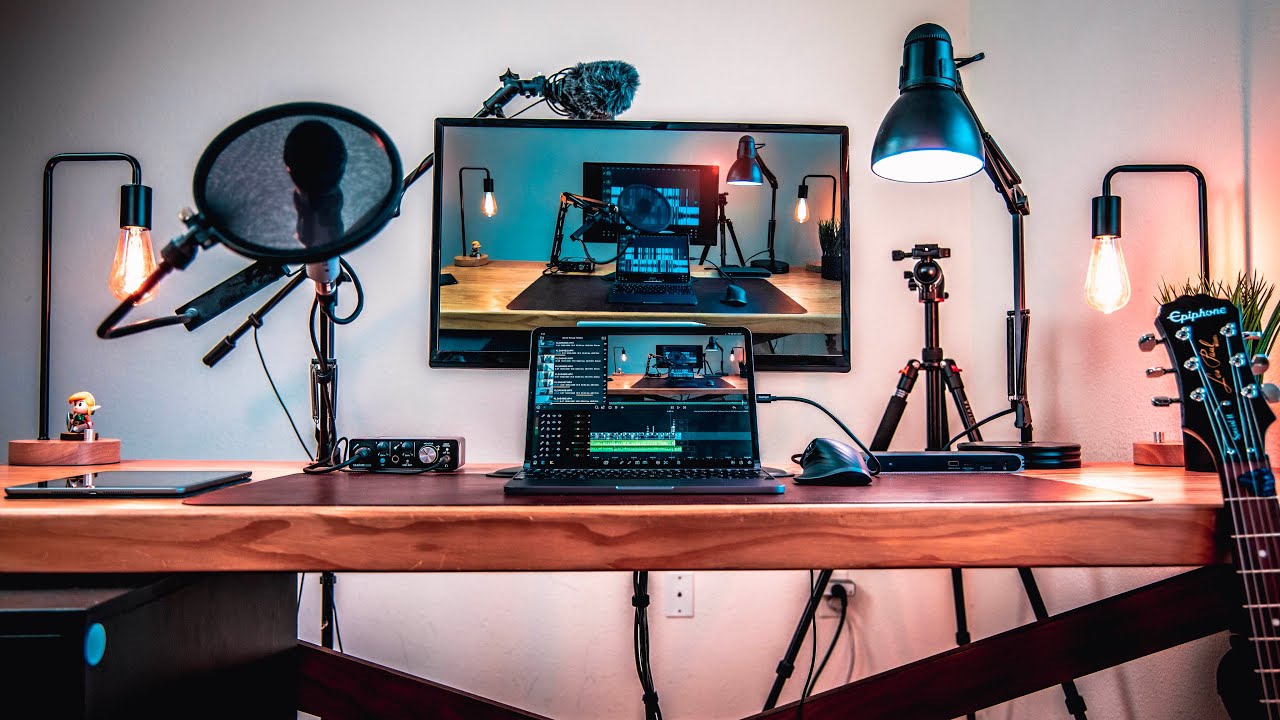
 Let’s talk about my iPad Pro des setup. I've worked really hard on this setup to get it to way I want it.
 ## Links
### Videos:
* [Brydge Keyboard Review](
### Hardware:
* [CalDigit USB-C/Thunderbolt 3 Hub](
* [LG 4K Monitor](
* [Monitor Stand](
* [Logitech MX Master Mouse 3](
* [Scarlet Solo Audio Interface](
* [Audio Technica ATR2100](
* [Audio Technica ATH-M50x](
* [Headphone Hook](
* [IKEA Alex Drawer]((
* [IKEA Cable Mangment Rack](
* [Edison Lamps](
* [Desk Lamp](
* TV Dinner Tray - I got this at Target years ago.
* [Bookself](
* [NFC Stickers](GoToTags Blank White On-Metal NFC Sticker - NTAG213 - Circle - 30 mm - 10 Pack
### Apps:
* [LumaFusion, This is my video editor](
* [Ferrite, my podcast editor](
As an Amazon Associate Christopher Lawley earns from qualifying using Amazon links on this channel.
Thank you for watching, be sure to like and subscribe if you like what I’m doing here.
* Twitter: Twitter.com/chris_lawley
* Email: christopherlawley0@gmail.com
* Website: theuntitledsite.com
* Podcast: aslabofglass.com


0 Comments